Word Seeker
Gimica GmbHWord
4.42.33K Reviews
- Version
- 1.11.0
- Installs
- 1.00M
- Age Rating
- Everyone
Screenshots
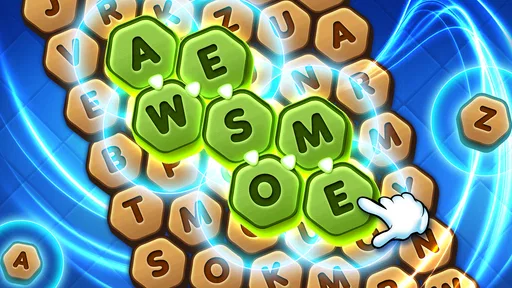
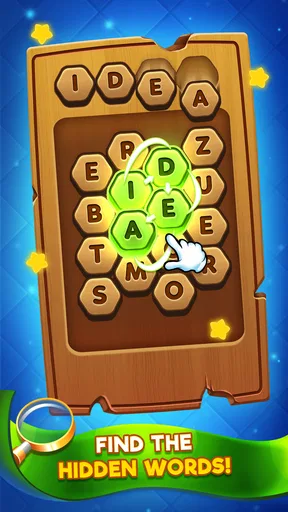

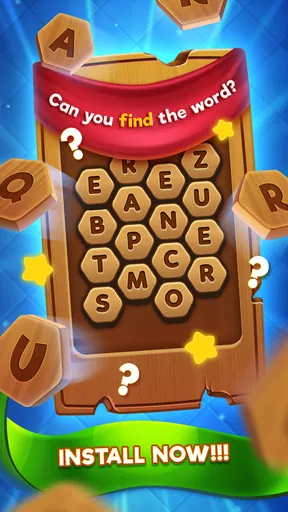
Our Review of Word Seeker
 Analysis by Appyee
I approach Word Seeker as a small, casual word game: something to open for a quick mental break, not a full substitute for a deep puzzle collection. That distinction matters, because the appeal of a word search is its simple loop—scan, spot a word, move on—and the game’s store summary points to exactly that hidden-word premise. It is a free word game from Gimica GmbH, rated for Everyone, and its current version is 1.4.0. The game has an average rating of 4.4 from around 23,000 ratings, with over 1 million installs, so it has found an audience without needing an elaborate introduction.
What the current game is good for
In practical terms, I’d reach for it when I have a few spare minutes and want a task that is easy to understand but still asks me to focus. A word-search grid works well in short sessions: I can pause after finding a word, return later, and pick up the visual search again without having to remember a story or a complicated set of rules. That makes it a natural fit for a waiting room, a quiet coffee break, or a short ride when I want something more active than scrolling but less demanding than a strategy game.
The key question before downloading is whether you enjoy scanning letters. If you do, the basic idea is immediately familiar; if you prefer word games built around definitions, spelling choices, or constructing words from a rack, this is a different kind of mental effort. I wouldn’t choose it as a vocabulary course or expect it to teach new words systematically. Its value is the search itself: spotting patterns, keeping your eyes moving methodically, and enjoying the small satisfaction of locating a word.
How it compares with other word puzzles
Compared with a crossword, a word search puts less weight on clues and recall and more on visual attention. That can make it easier to dip into when I’m tired, though it may also feel less varied to someone who wants each puzzle to demand a different kind of reasoning. Compared with a word-building game, it doesn’t ask me to experiment with letter combinations in the same way. I’d choose a crossword for clue-solving, a spelling game for testing word knowledge, and this kind of puzzle when I want a calmer hunt through a grid.
That difference also helps identify who may not enjoy it. Players who want a long campaign, narrative progression, or a highly strategic challenge should look elsewhere. The appeal here is immediate and focused rather than expansive. Likewise, anyone who dislikes repeating a familiar puzzle format may find that the core activity becomes predictable, even if the individual hidden words change.
First Impressions and User Interface
When I first launched Word Seeker, I was immediately drawn to its clean and minimalist design. The developers clearly focused on making the interface intuitive, which means you can dive right into the puzzles without any fuss. The color scheme is easy on the eyes, perfect for those extended gameplay sessions where you lose track of time.
Navigation is a breeze. The main menu offers a straightforward layout with options to start a new game, continue where you left off, or explore other features like daily challenges and multiplayer modes. Every button is precisely where you’d expect it to be, making the app feel like second nature after just a few minutes of play.
Gameplay Mechanics
Now, let’s talk about the meat and bones of Word Seeker—the gameplay. The app offers a variety of puzzle modes to keep things fresh. Whether you’re into classic word searches or looking to tackle something more challenging, like timed puzzles, there’s something here for everyone.
The app shines with its daily challenges, which add a competitive edge for players who thrive on leaderboards and achievements. These puzzles vary in difficulty, so whether you’re a newbie or a seasoned wordsmith, you’ll find something to sink your teeth into.
"The real kicker? The app’s ability to adapt to your skill level, so you’re always met with the right amount of challenge."
Making short sessions count
For a more useful everyday routine, I’d treat a daily puzzle as a brief attention exercise rather than a score to chase. If I’m playing between errands, I can set a simple personal goal—finish one grid, or stop after a few finds—so a quick break stays quick. On a longer, quieter evening, I can take more time and use the puzzle as a low-pressure way to settle into a screen activity that doesn’t demand constant decision-making.
A practical tip for word searches is to avoid sweeping randomly across the grid. I find it more manageable to look for a distinctive letter or letter pair in the target word, then check the surrounding lines in several directions. This makes the visual search feel less chaotic, especially when a word could run diagonally or backwards. It is a general solving approach rather than a special feature, but it can make a familiar format more satisfying and reduce the urge to tap around impatiently.
There is a trade-off to timed play. A clock can add urgency for someone who likes competing against their own pace, but it can also turn a relaxing puzzle into a test of quick scanning. I’d start with an untimed option if I’m playing to unwind, then try a timed puzzle only when I actively want pressure. If a session starts feeling frustrating, stepping away is better than forcing a faster pace; the appeal of this format is that it can be enjoyed without treating every round as a performance.
Community and Social Features
One aspect that stands out is the community aspect of Word Seeker. The multiplayer mode is a fantastic addition, letting you challenge friends or random players from around the world. This feature adds a layer of excitement as you compete for top scores and bragging rights.
There’s also a chat function, which is surprisingly pleasant. It’s a nice touch being able to exchange tips or just casually banter with fellow word enthusiasts. It’s these little social features that make the app more than just a solo experience.
When playing with others makes sense
I’d use multiplayer when I have a friend who enjoys the same quick, visual challenge, especially if we want a lightweight competition rather than a long match. A useful way to keep it friendly is to agree beforehand that the point is to compare how each person approaches the grid, not just who finishes first. That can make the shared session enjoyable for players with different speeds. If I’m looking for a private, quiet break, though, the solo puzzle is the better fit; social play is an option, not a reason every session needs to become competitive.
Chat can make a game feel more social, but it also changes the experience from solitary puzzle-solving to interacting with other players. I’d use it only when I actually want that exchange. For someone who prefers a distraction-free session, the presence of social features is not necessarily a benefit, and there is no need to make them central to enjoying the core word-search activity.
Customization and Personalization
If you’re like me and love to personalize your gaming experience, you’ll appreciate the customization options Word Seeker provides. You can tweak themes, adjust font sizes, and even choose from a selection of background music tracks to set the perfect mood for your puzzle-solving sessions.
I found the customization options particularly useful during nighttime gaming. The app’s night mode is a lifesaver, preventing that dreaded eye strain while still keeping the gameplay enjoyable.
Small choices that improve comfort
I’d adjust the text size before settling into a longer session rather than waiting until the grid starts to feel tiring. A larger font can make letter scanning more comfortable, although it may change how much of the puzzle is visible at once. Theme and music choices are more personal: a quieter setup suits a focused break, while background music may make a relaxed session feel less bare. These options are most valuable when they solve a real comfort problem; changing settings just for novelty won’t make the underlying puzzle format more varied.
For a shared device or a family setting, the Everyone age rating makes the game broadly suitable by its content classification. I’d still choose settings with the actual player in mind: larger lettering can help someone who struggles with small text, while turning music down or off can make a quick puzzle less intrusive in a quiet space. Those small adjustments are more useful than assuming one default setup will feel comfortable for every person.
Performance and Accessibility
Performance-wise, the app runs smoothly on both Android and iOS. I didn’t encounter any lags or crashes, which is always a plus. It’s also lightweight, so it won’t hog your device’s resources.
Accessibility features are well thought out, catering to a wide range of users. The app includes options for colorblind players and adjustable difficulty levels, ensuring everyone can enjoy the puzzles without any barriers.
Version context and what to expect
The current release is version 1.4.0, and the game first appeared on December 24, 2021. Those details tell me that this is an established casual title rather than a brand-new experiment, but they do not, by themselves, prove which individual features arrived in which update. For someone already playing, the practical point is to judge the version currently installed by how comfortably it handles the puzzles and settings they use, rather than assuming a particular change has recently landed.
If you are deciding whether to install it, the minimum operating-system requirement is Android 7.0. I’d check that your device meets the requirement before planning to use it, particularly if you’re installing on an older phone. The game is free to download, with in-app purchases ranging from $0.99 to $4.49 per item. I’d begin with the free experience and only consider a purchase if I know what it unlocks and it addresses something I actually want; a small optional spend is still unnecessary if the basic puzzle loop is enough for me.
One limitation worth keeping in mind is that repeated word searches can become visually samey. Difficulty settings may change how demanding a puzzle feels, but they cannot turn a search grid into a crossword or a word-building challenge. If I want variety across a whole week, I’d alternate this with a clue-based puzzle or another word game instead of expecting one title to cover every mood. That is not a flaw unique to this game; it is the natural boundary of a focused genre.
Who should choose it—and who should pass
I’d recommend trying it if you like scanning letter grids, want a game that is easy to understand, or enjoy the option of playing alone or challenging someone else. It also makes sense for people who want a short activity that can fit between routine tasks, without needing to learn a complex ruleset first. The daily challenges can provide a reason to return, while adjustable difficulty gives players room to choose a more comfortable level of effort.
I’d pass if my main goal were to expand vocabulary through explanations, solve clue-heavy puzzles, or follow a campaign with a strong sense of progression. I’d also look elsewhere if competitive features or repeating a visual search pattern quickly lose their appeal. The right choice depends less on whether word games are generally enjoyable and more on whether this particular kind of word game is the one I want to play.
Final Thoughts
Overall, Word Seeker delivers a stellar word game experience. It’s a perfect blend of challenging puzzles, engaging community features, and personalization options. Whether you’re looking to kill time or seriously sharpen your word skills, this app has you covered.
So, if you’re a word puzzle enthusiast or just looking to dip your toes into something new, give Word Seeker a try. You might just find yourself hooked, eagerly awaiting each daily challenge like a kid on Christmas morning.
My recommendation after weighing it up
My recommendation is measured: it is worth a try if the uncomplicated pleasure of finding words in a grid sounds appealing, especially if short sessions and optional social play suit your routine. I would not treat it as a complete word-game library or a serious vocabulary tool. Its strongest case is being an approachable, focused way to pass a few minutes, with personal settings and different ways to make a puzzle feel more or less demanding.
Before settling in, I’d check that the visual presentation feels comfortable, choose a difficulty that matches my mood, and decide whether I want a quiet solo round or a competitive one. If those basics click, the game can earn a place in a casual rotation. If I find myself wanting clues, richer progression, or a fundamentally different puzzle mechanic, I’d switch to another kind of word game rather than expecting this one to become something it isn’t.
Privacy and Permissions
See what permissions an app requests and how it handles your data.
- Photos/Media/Files
- read the contents of your USB storage
- Storage
- read the contents of your USB storage
- Wi-Fi connection information
- view Wi-Fi connections
- Other
- view network connections, full network access, read terms you added to the dictionary, control vibration, prevent device from sleeping, Google Play license check
Verdict
Strengths of Word Seeker
- Engaging puzzles enhance vocabulary skills.
- Daily challenges keep content fresh and exciting.
- User-friendly interface is easy to navigate.
- Offline mode allows play without internet.
- Adaptive difficulty caters to all skill levels.
Limitations of Word Seeker
- Limited hints can be frustrating for beginners.
- Ads can be intrusive during gameplay.
- In-app purchases required for extra features.
- Occasional bugs disrupt the gaming experience.
- No multiplayer mode for competitive play.
Other Releases by Gimica GmbH
View All


Similar Picks in This Category
View All
Word Search - Word Puzzle Game
Bluetile4.8

Word Search Quest - Puzzles
Blackout Lab4.8

CodyCross: Crossword Puzzles
Fanatee, Inc.4.7

Words of Wonders: Crossword
Fugo Games4.9

Wordscapes: Word puzzle game
PeopleFun4.7

Word Search Explorer
PlaySimple Games4.9
Frequently Asked Questions
What is Word Seeker and how does it work?
Word Seeker is a mobile puzzle game designed to challenge your vocabulary and word-finding skills. Players are presented with a grid of letters and must find hidden words by swiping through the grid. The game progresses in difficulty, offering various levels and themes to keep players engaged.
Is Word Seeker available for both Android and iOS devices?
Yes, Word Seeker is available for download on both Android and iOS platforms. You can find the app on the Google Play Store for Android devices and the Apple App Store for iOS devices. Ensure your device meets the app’s system requirements for optimal performance.
Does Word Seeker require an internet connection to play?
Word Seeker can be played offline, allowing users to enjoy the game without an active internet connection. However, certain features, such as leaderboard updates or in-app purchases, may require internet connectivity to function properly.
Are there any in-app purchases or ads in Word Seeker?
Word Seeker includes both ads and optional in-app purchases. While the game can be played for free, purchasing items or removing ads can enhance the gaming experience. Players can choose to buy hints, unlock new levels, or access special features through the in-app store.
How can I track my progress in Word Seeker?
Word Seeker offers a progress tracking feature that allows players to see their achievements, completed levels, and overall performance. Players can also compete on leaderboards to compare their scores with friends and other players globally. Make sure to connect your game profile to a social account for seamless progress tracking.
Play our best games!


